 DF
DF BfA
BfA MoP
MoP WoD
WoD SL
SL WotLK
WotLK Cata
Cata Legion
 Vanilla
Description
What is Titan Panel?
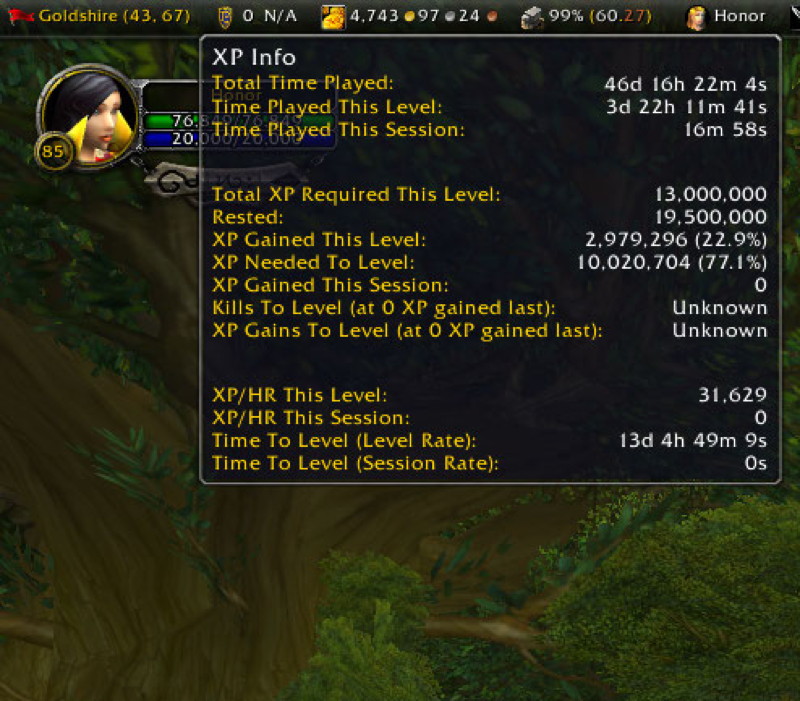
Titan Panel creates one or two information bars at the top and bottom of your screen displaying real-time data through modular plugins covering gold, XP rate, coordinates, bag space, clock, performance, and more.
Categorized under Bags & Inventory, Boss Encounters, Map & Minimap, and Miscellaneous, this addon is a must-have for players seeking to improve their World of Warcraft experience on private servers.
Key Features
- Top and bottom panel bars with independent plugin configurations
- Extensive built-in plugin set covering gold, clock, XP/hour, coordinates, and repair cost
- Bag space tracker showing free slots across all bags
- Performance display with FPS, latency, and addon memory usage
- Volume controls accessible directly from the panel
- Third-party plugin support with hundreds of community-created modules
- Auto-hide option for panels that appear only on mouse hover
- Skinnable panel backgrounds with transparency adjustment
Why Titan Panel is Essential
Titan Panel centralizes all the scattered information you normally check through separate UI panels into one persistent display. Instead of opening your bag to count free slots, checking the game menu for latency, or mousing over the XP bar, everything is visible at a glance. It has been a staple addon since early WoW for good reason.
Supported Expansions
Titan Panel is available for Dragonflight, BFA, MoP, WoD, Shadowlands, WotLK, Cataclysm, Legion, and Classic. Whether you play on a Classic private server or a modern expansion realm, this addon enhances your gameplay across all supported versions.
How to Install Titan Panel
Install Titan Panel and desired Titan plugins to your AddOns directory. Right-click the panel to add or remove plugins. Left-click plugins for detailed information popups. Type /titan to access global configuration.
Browse more WoW addons and find the best private servers on DivineTop.