
 Vanilla
 TBC
Description
What is pfUI?
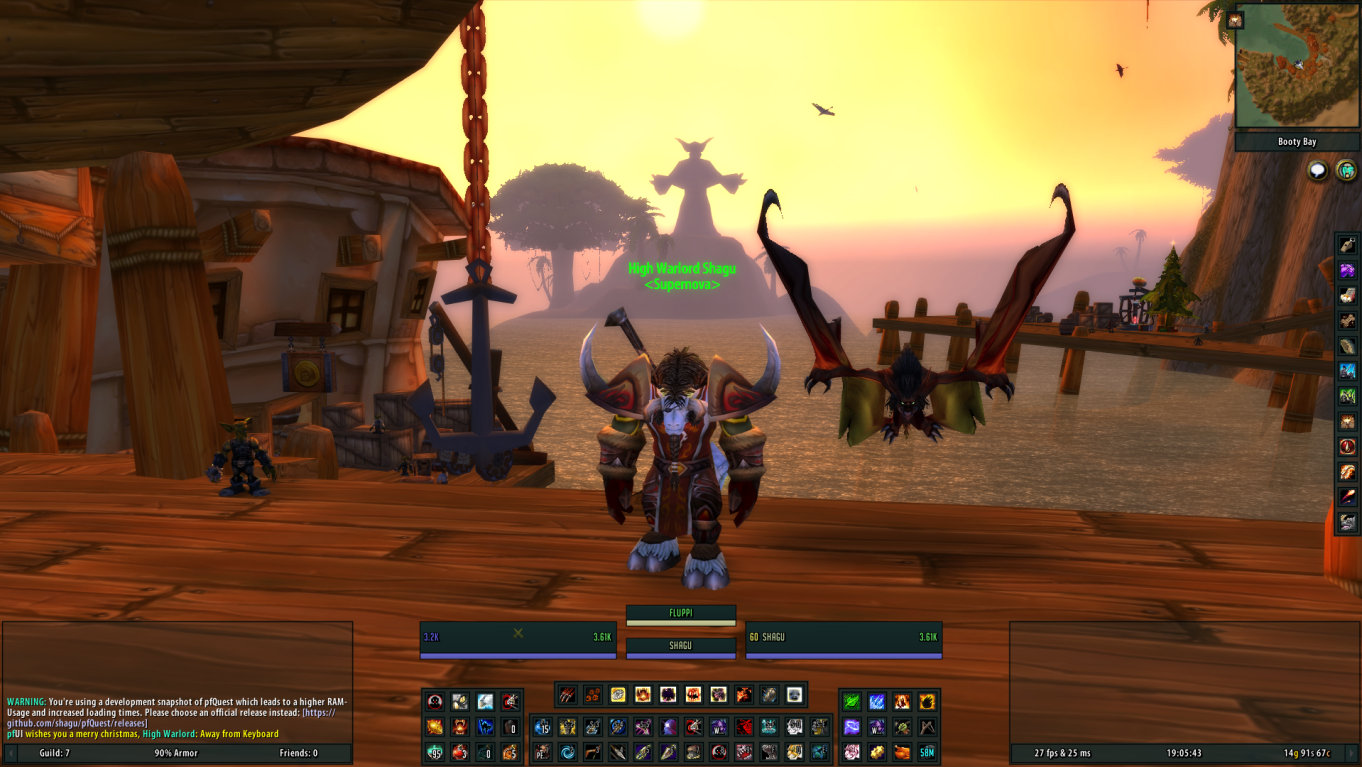
pfUI is a comprehensive UI overhaul for Vanilla and TBC that replaces unit frames, action bars, chat frames, bags, tooltips, and the minimap with a clean, modern pixel-perfect interface.
Categorized under Tooltip, Unit Frames, Artwork, Map & Minimap, Miscellaneous, Libraries, and Action Bars, this addon is a must-have for players seeking to improve their World of Warcraft experience on private servers.
Key Features
- Complete unit frame replacement with health prediction and click-to-cast
- Action bar redesign with customizable button count, rows, and spacing
- Unified bag display combining all bags into a single sortable container
- Chat frame improvements with class-colored names, copy support, and URL detection
- Minimap redesign with square shape option, coordinate display, and zone text
- Tooltip overhaul with class colors, guild info, and item comparison
- Nameplate replacement with cast bars, health values, and threat coloring
- Built-in configuration GUI accessible through /pfui command
Why pfUI is Essential
The Vanilla and TBC WoW interface was designed in 2004 and shows its age. pfUI brings it into the modern era with conveniences players expect: combined bags, colored chat names, clean unit frames with health values, and a minimap that displays coordinates. It is a single-addon solution that replaces a dozen separate addons, reducing conflicts and simplifying setup.
Supported Expansions
pfUI is available for Classic, and TBC. Whether you play on a Classic private server or a modern expansion realm, this addon enhances your gameplay across all supported versions.
How to Install pfUI
Extract pfUI into your AddOns folder. On first login, a setup wizard guides you through basic configuration. Type /pfui to access the full configuration panel for detailed customization of every module.
Browse more WoW addons and find the best private servers on DivineTop.