 DF
DF BfA
BfA WoD
WoD SL
SL WotLK
WotLK Legion
 Vanilla
Description
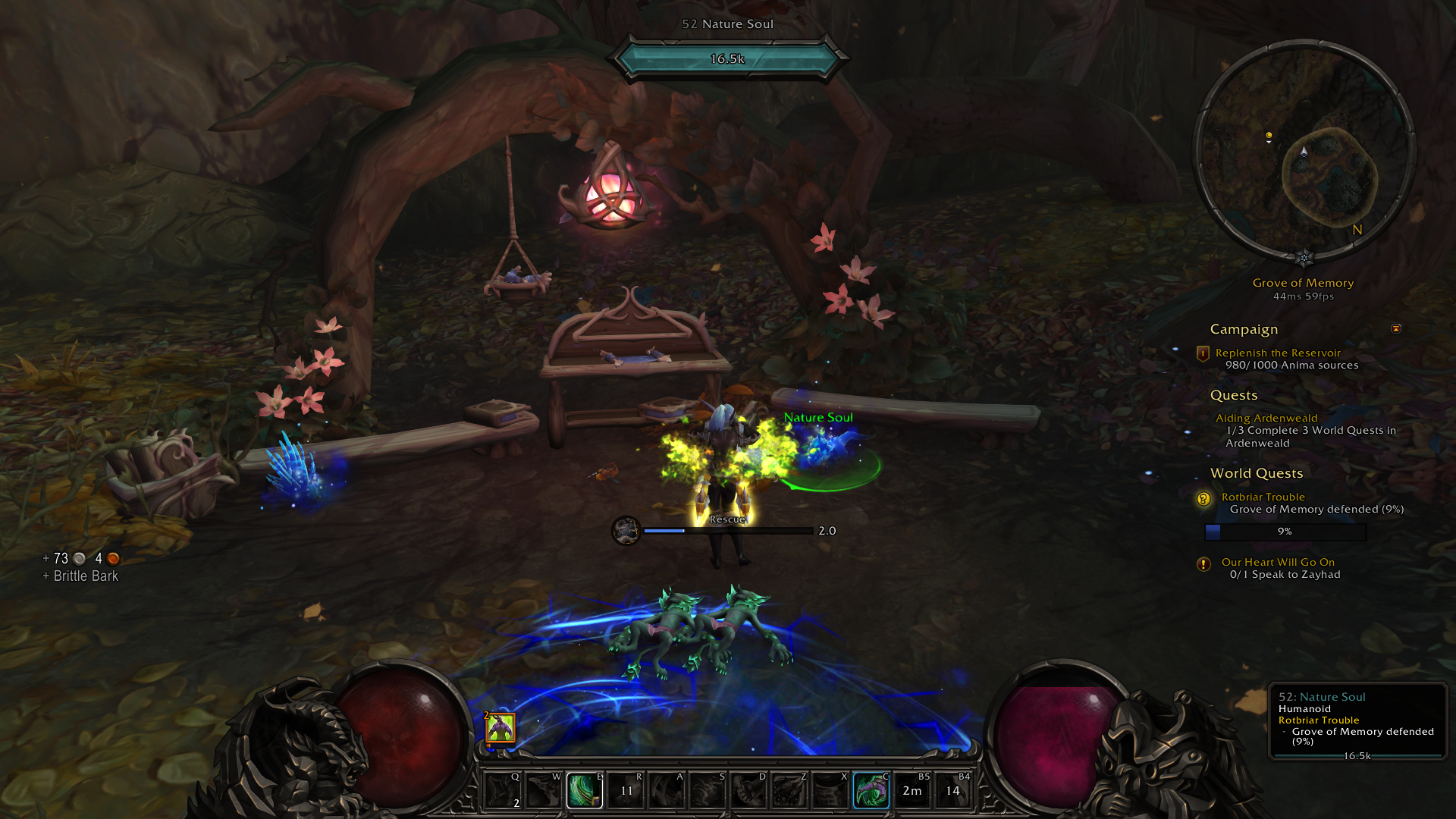
What is DiabolicUI?
DiabolicUI is a complete user interface replacement that transforms your WoW screen with a dark, gothic-themed design featuring stylized unit frames, action bars, minimap, and HUD elements.
Categorized under Artwork, Map & Minimap, Action Bars, and Unit Frames, this addon is a must-have for players seeking to improve their World of Warcraft experience on private servers.
Key Features
- Full UI replacement covering action bars, unit frames, minimap, and chat
- Dark gothic art style with custom textures and shadowed borders
- Automatic action bar paging based on combat state and stance changes
- Integrated minimap with thematic border art and coordinate display
- Player and target frames with portrait artwork and animated health bars
- Experience and reputation bar integrated into the bottom art panel
- Zero-configuration philosophy designed to work immediately without setup
- Consistent visual language across every UI element for an immersive feel
Why DiabolicUI is Essential
Most UI compilations require hours of configuration to look presentable. DiabolicUI installs as a single addon and immediately provides a cohesive, atmospheric interface that feels like it belongs in a darker fantasy RPG. Players who value immersion over spreadsheet efficiency will appreciate how every element shares a unified visual theme.
Supported Expansions
DiabolicUI is available for Dragonflight, BFA, WoD, Shadowlands, WotLK, Legion, and Classic. Whether you play on a Classic private server or a modern expansion realm, this addon enhances your gameplay across all supported versions.
How to Install DiabolicUI
Drop the DiabolicUI folder into your AddOns directory. The UI applies automatically on login with no configuration required. If you want to fine-tune settings, access options through the chat command /diabolic.
Browse more WoW addons and find the best private servers on DivineTop.