 Vanilla
Description
What is CT_UnitFrames?
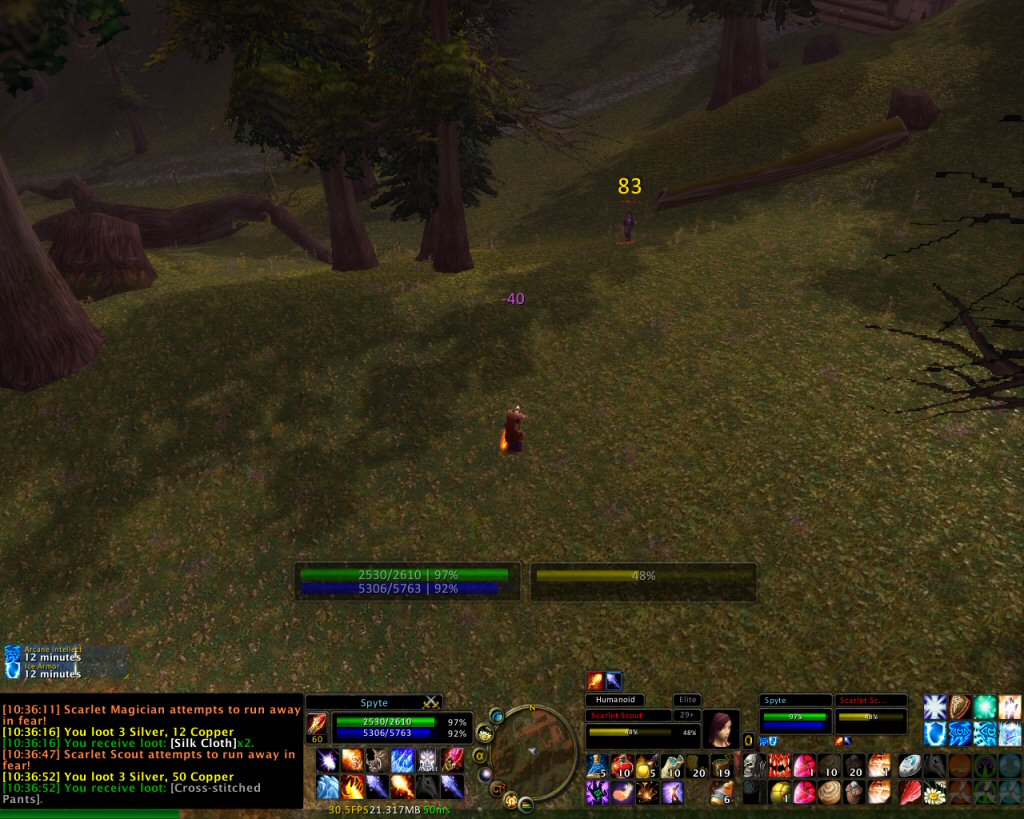
CT_UnitFrames is part of the legendary CT Mod suite, replacing the default player, target, and party frames with cleaner, more informative unit frames tailored for Classic WoW.
Categorized under Unit Frames, this addon is a must-have for players seeking to improve their World of Warcraft experience on private servers.
Key Features
- Redesigned player and target frames with larger health and mana bars
- Numeric health and mana percentage readouts on all unit frames
- Party frame overhaul showing buffs, debuffs, and casting bars for each member
- Target-of-target display for tracking boss aggro during encounters
- Movable and resizable frames that snap to grid positions
- Class-colored health bars for instant visual identification of player classes
- Low health and mana warning flashes to alert you during critical moments
- Seamless integration with other CT Mod suite addons
Why CT_UnitFrames is Essential
The default Vanilla WoW unit frames hide critical combat data behind tiny bars and missing readouts. CT_UnitFrames gives you the numeric precision and visual clarity needed to tank, heal, or DPS effectively in forty-player raids where every percentage point of health matters.
Supported Expansions
CT_UnitFrames is available for Classic. Whether you play on a Classic private server or a modern expansion realm, this addon enhances your gameplay across all supported versions.
How to Install CT_UnitFrames
Place the CT_UnitFrames folder into your Interface/AddOns directory. Configure frames through the CT Mod control panel accessible via the minimap button or /ctuf command.
Browse more WoW addons and find the best private servers on DivineTop.